
IPCam (English)2.7.1 - App Store
You'll be able to see results in few seconds.
Publisher Description
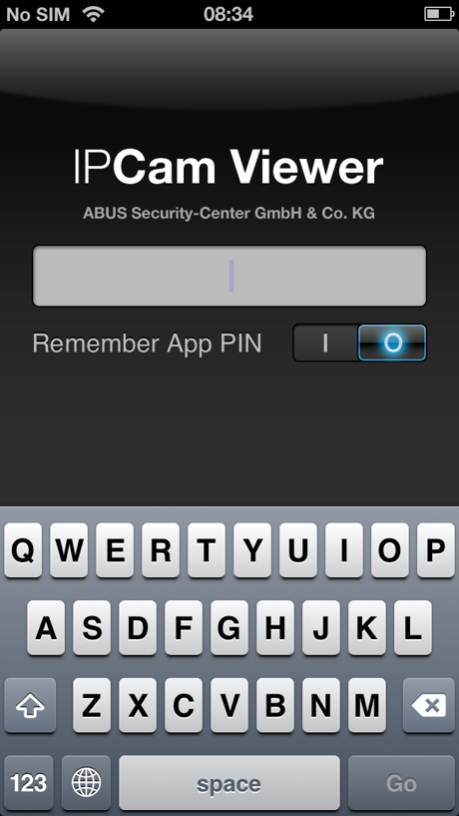
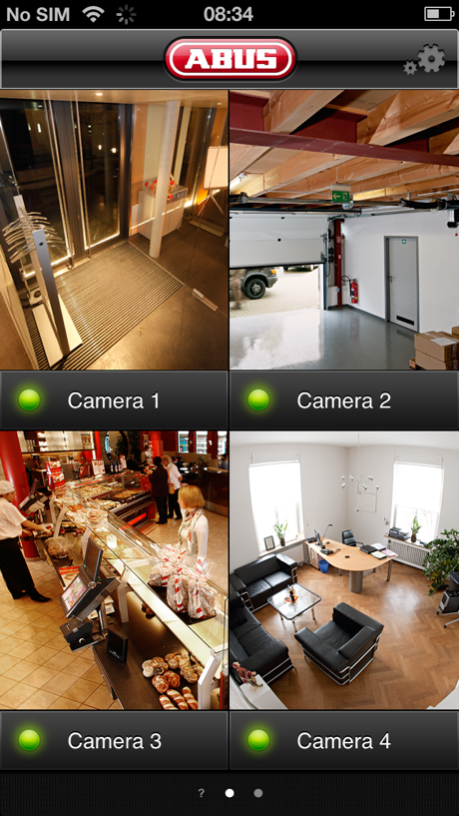
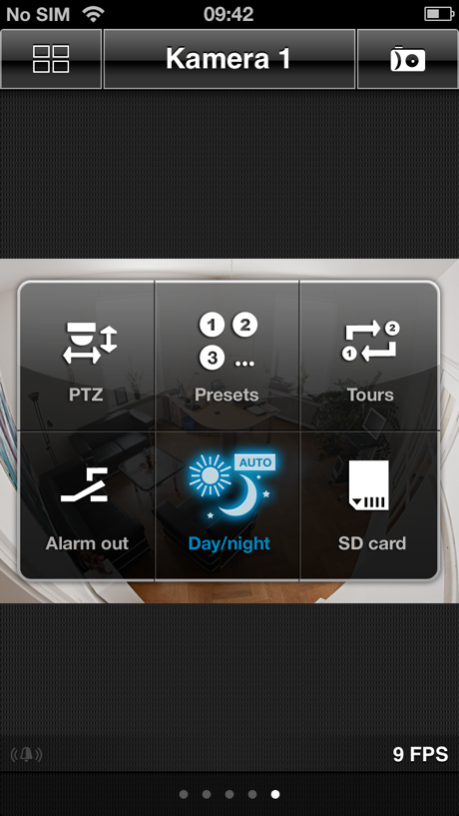
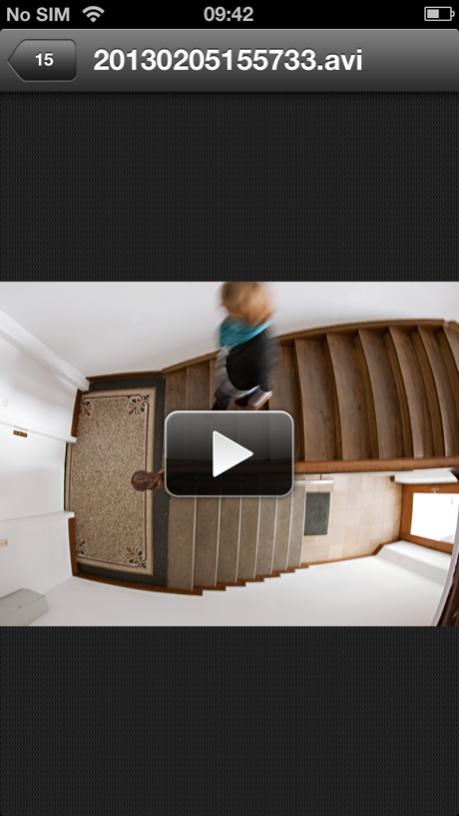
Dear customer, the app „IPCam“ will no longer be supported by ABUS. Please change to the App “IPCam Plus”, which is also available in the App-Store at no charge.
+++++++++++++++++++++++++++++++++
Dear customer, from now on the „IPCam“ app is free of charge!
+++++++++++++++++++++++++++++++++
Important: IPCam app requires latest firmware version installed on your network camera. Please ensure to have latest firmware revisions intalled.
IPCam enables you to access live images of ABUS Security-Center network cameras on your device. Take the advantage of the impressive range of additional options offered by this app to control most important camera functions directly via IPCam:
- Control pre-defined preset positions of your Pan/Tilt network camera
- Start and stop guard tours
- Manual control for relays outputs and detection of alarm inputs
- Quick access to day/night settings to apply optimal image settings
- MPEG-4 / H.264 streaming support for lower bandwidth usage
- Integration of up to 12 network cameras (iPAD 18)
- Easy swipe navigation to check camera images in single- and multiview
- Sequential export of up to 5 snapshots stored on your device
- Support for landscape mode in single view
- Support for German, English, French, Dutch, Danish, Polish and Russian OSD language
- Universal App for iPhone and iPad
This application supports following cameras:
- TV7203, TV7204 (Dual-Stream Version)
- TV7203-A, TV7204-A (Single-Stream Version)
- TV7206
- TV7214, TV7215, TV7216, TV7217
- TV7220, TV7221, TV7222, TV7223
- TV7230, TV7240 (Dual-Stream Version)
- TV7230-A, TV7240-A (Single-Stream Version)
- TVIP10000, TVIP10001, TVIP10050, TVIP10051, TVIP10500, TVIP10550
- TVIP11000, TVIP11050, TVIP11500, TVIP11501, TVIP11550, TVIP11551, TVIP11560
- TVIP11502, TVIP11552
- TVIP20000, TVIP20050, TVIP20500, TVIP20550
- TVIP21000, TVIP21050, TVIP21500, TVIP21501, TVIP21502
- TVIP21550, TVIP21551, TVIP21552, TVIP22500
- TVIP31000, TVIP31001, TVIP31050, TVIP31500, TVIP31501
- TVIP31550, TVIP31551, TVIP32500
- TVIP40000, TVIP41500, TVIP41550
- TVIP51500, TVIP51550
- TVIP52500, TVIP52501, TVIP52502
- TVIP61500, TVIP61550, TVIP62000, TVIP62500
- TVIP70000, TVIP72000
- TVIP71500, TVIP71501, TVIP71550, TVIP71551, TVIP72500
- TVIP81000, TVIP81100, TVIP82000, TVIP82100
- TVIP91100, TVIP91300, TVIP91600, TVIP91700
- TVIP92100, TVIP92300, TVIP92500, TVIP92600, TVIP92610, TVIP92700
- CASA20550
An intensive usage of video streaming function will cause higher battery usage and may heat up your device. Please note that you generate additional costs when using remote connections, depending of your providers contract. The video performance is related to the available transmission bandwidth.
May 13, 2015
Version 2.7.1
This app has been updated by Apple to display the Apple Watch app icon.
Important changes in Version 2.7.1:
• Bugfix: App Startup Tablet
Important changes in Version 2.7:
• Added support for new camera models (only HTTP mode supported / JPEG mode):
TVIP91100, TVIP91300, TVIP91600, TVIP91700,
TVIP92100, TVIP92300, TVIP92500, TVIP92600, TVIP92610, TVIP92700
• iOS8 support
About IPCam (English)
The company that develops IPCam (English) is ABUS Security Center GmbH & Co. KG. The latest version released by its developer is 2.7.1.
To install IPCam (English) on your iOS device, just click the green Continue To App button above to start the installation process. The app is listed on our website since 2015-05-13 and was downloaded 0 times. We have already checked if the download link is safe, however for your own protection we recommend that you scan the downloaded app with your antivirus. Your antivirus may detect the IPCam (English) as malware if the download link is broken.
How to install IPCam (English) on your iOS device:
- Click on the Continue To App button on our website. This will redirect you to the App Store.
- Once the IPCam (English) is shown in the iTunes listing of your iOS device, you can start its download and installation. Tap on the GET button to the right of the app to start downloading it.
- If you are not logged-in the iOS appstore app, you'll be prompted for your your Apple ID and/or password.
- After IPCam (English) is downloaded, you'll see an INSTALL button to the right. Tap on it to start the actual installation of the iOS app.
- Once installation is finished you can tap on the OPEN button to start it. Its icon will also be added to your device home screen.
Program Details
System requirements
Download information
Pricing
Version History
version 2.7.1
posted on 2015-05-13
May 13, 2015
Version 2.7.1
This app has been updated by Apple to display the Apple Watch app icon.
Important changes in Version 2.7.1:
• Bugfix: App Startup Tablet
Important changes in Version 2.7:
• Added support for new camera models (only HTTP mode supported / JPEG mode):
TVIP91100, TVIP91300, TVIP91600, TVIP91700,
TVIP92100, TVIP92300, TVIP92500, TVIP92600, TVIP92610, TVIP92700
• iOS8 support
version 2.7.1
posted on 2010-12-22
Disclaimer
Official App Store Link
We do not host IPCam (English) on our servers. We did not scan it for viruses, adware, spyware or other type of malware. This app is hosted by Apple and passed their terms and conditions to be listed there. We recommend caution when installing it.
The App Store link for IPCam (English) is provided to you by apps112.com without any warranties, representations or guarantees of any kind, so access it at your own risk.
If you have questions regarding this particular app contact the publisher directly. For questions about the functionalities of apps112.com contact us.
